Know where to act
Campaign recommendations with context, estimated impact and an action your team can review.

Review recommendations, manage spending and prepare campaigns for Google Ads and Meta Ads.
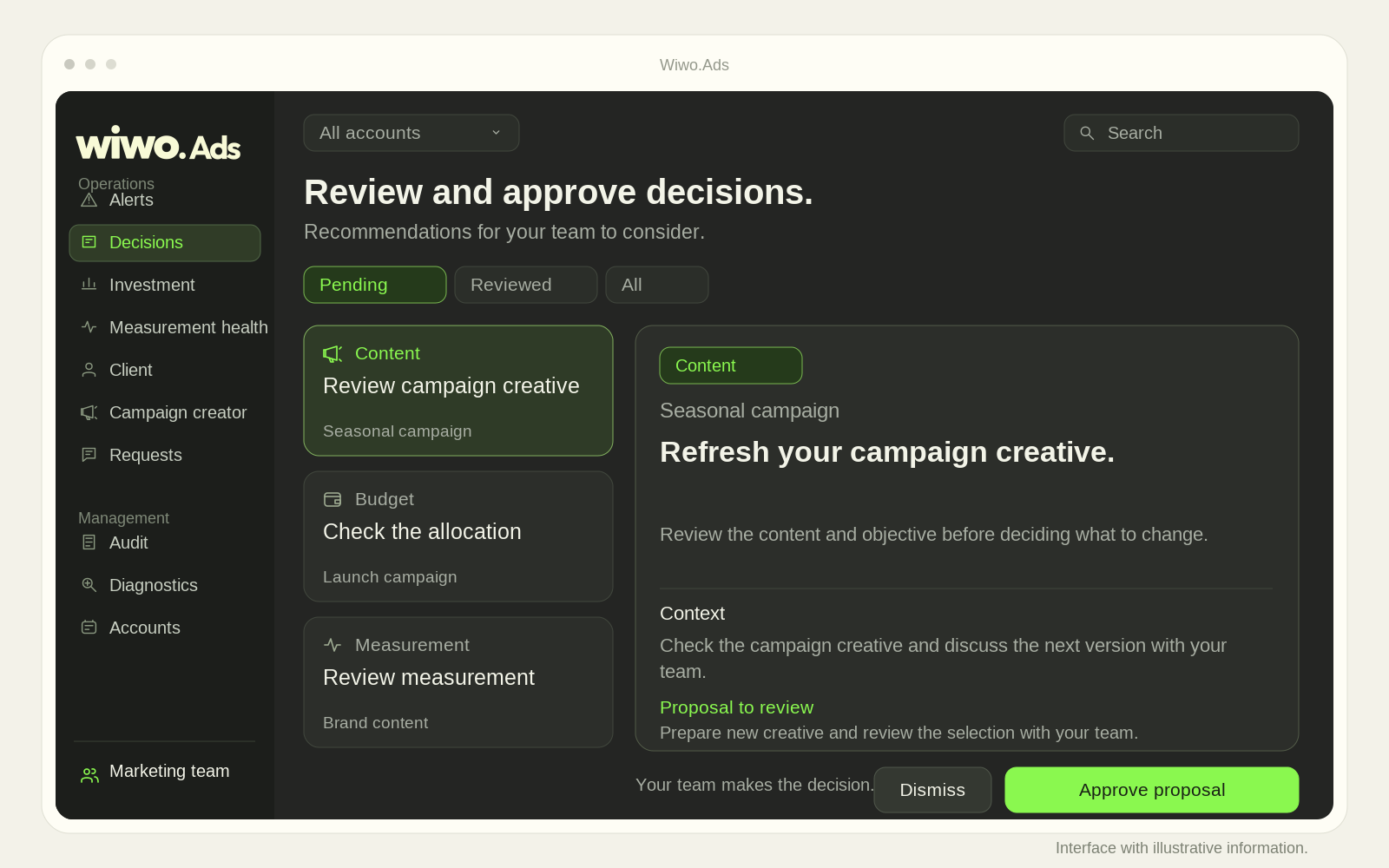
Campaign recommendations with context, estimated impact and an action your team can review.
Review Google Ads and Meta Ads spending and investment without jumping between platforms.
Define your platform, account and objective in a guided campaign setup.
Explore a recommendation's context and decide what to do with it.
Compare spend and budget by platform before deciding on a change.
Review whether the current allocation supports the campaign's objective. The team checks the period, accounts and available signals before defining an adjustment.
You can approve the review or reject the proposal. Your team retains judgment and approval.
This simulation does not change campaigns or spend.
Explore the interface: decisions, spend, and campaigns. Enlarge each view for a closer look.
Find recommendations with their context, estimated impact and next action. Review what the campaign needs and decide with your team what to address first.
Investment, measurement, requests and changes brought together to review advertising operations with your team.
Understand the recommendation before deciding what to do with it.
Review campaign recommendations and filter by client or platform. Priority and context help identify what needs attention before opening the details.
Consult the recommendation's reason, proposed action and estimated impact. Open the platform reference to cross-check the information against the campaign.
Decide with your team how to proceed with each proposal. Budget changes are reviewed in the editor before applying; approvals follow the configured scope and permissions.
Keep account and platform context when reviewing results.
Consult Google Ads and Meta Ads spend and budgets in one view. Distinguish accounts, platforms and periods to prepare the investment review.
Move from the overview to a client's information. Keep accounts and campaigns connected when reviewing the operations assigned to your team.
Distinguish successful checks, warnings and failures. Consult measurement status and related campaigns before interpreting results or preparing adjustments.
Guided setup and an approval process to work together.
Choose the platform and account, define the objective and complete guided setup. Review data and creative assets with the people responsible before proceeding.
Send proposed publications or changes to the appropriate person for review. Consult submitted requests and their approval progress within the operation.
Approved requests can be applied on the connected platform according to permissions. The process retains a reference to review the result of the change.
Authorized accounts, alerts and history to check what happens.
Consult recorded requests, decisions and changes. Filter by period, person and action type to review who was involved and the available before-and-after record.
Gather findings for the period and open campaign information. Your team reviews the signals and decides what to address; an alert is not an automatic instruction.
Ask about campaigns, request a recommendation or attach a MetriQ CSV for analysis. Changes are presented as proposals: your team chooses which to submit for approval.
Implementation defines connections, permissions and approvals. Data access and editing capabilities vary by platform and account; we confirm that scope before enabling changes.
Wiwo.Ads is Wiwo's advertising platform. Explore its scope for your team and confirm channels, features and integrations in a demo.
In the demo, we confirm the available channels, their features and the permissions needed for your use case. The agreed scope is detailed in the proposal.
Your team defines the goal, spending and campaign decisions.
Marketing, advertising and media teams that need to organize the work described on this page.
Let's review your needs, the available features, and how to get started.