Home and personal tasks
Review what is due today, what is overdue and what is coming up, alongside your pinned projects and the tasks you follow. Keep a private to-do list too.

Coordinate projects, tasks and deliveries. Bring agreements, your team's work and client relationships together in one place.
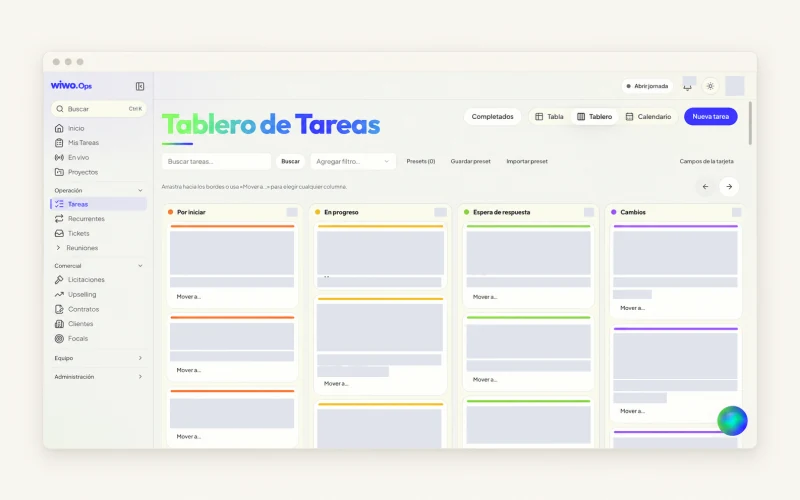
Change the priority, review the context and move a task across its board.
Brief, files and comments.
Creative teamChange the priority. Then move the task.
Switch views, take a closer look at the interface, and discover how each feature can support your team.
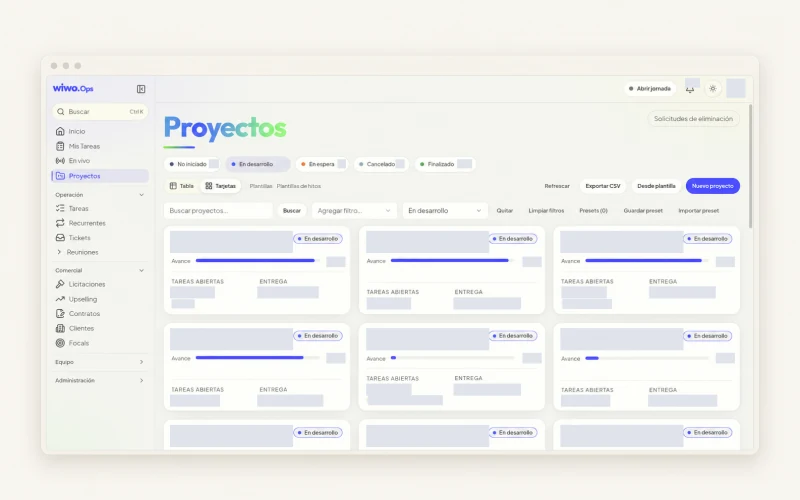
Find your projects, their owners and upcoming dates. Open the details with the brief, files and conversations your team needs to continue.
Explore tasks, projects, meetings, clients, and collaboration. Open each workspace to see what it can do for your team.
Swipe to explore
Illustrative example.
Find your outstanding tasks and the information you need to move them forward.
Review what is due today, what is overdue and what is coming up, alongside your pinned projects and the tasks you follow. Keep a private to-do list too.
Set an owner, priority, status and deadline. Add comments with mentions, files, checklists and deliverables. Record blockers and their reasons so the team knows how to move forward.
Choose a table, board or calendar view. Save filters to find the work you need and apply changes to multiple tasks at once.
Schedule tasks to repeat by day, week, month or year. Pause them, end them or import them in bulk from a spreadsheet.
See deliverables, deadlines and the time each person spends on the work together.
Keep tasks, milestones, files, discussions and tickets together by project. Start from scratch, use a template or copy another project, and prepare a PDF summary.
View the project schedule in a Gantt chart or calendar and export either view. Review the dates with your team before adjusting commitments.
Start your workday, indicate whether you are in the office or working remotely, and track time by project or task. When you finish, review the time recorded and any time left unassigned.
See who is working and on what, alongside each person's assigned workload. Review time records by project and team member.
Keep a record of the discussion and review commitments before putting them into action.
Record or upload meeting audio, or paste your notes. AI drafts the attendees, topics, agreements, owners and next steps. You can also request just a transcript.
Review the tasks AI suggests from the meeting. You decide which to create and check their owners and commitments before adding them to the work.
Edit together, add comments and ask AI for changes. Translate the minutes into English or Chinese and download them as a PDF or Word document after review.
Define what each project includes and excludes. AI helps identify tasks that may fall outside the agreement. The team reviews that assessment and decides how to address them.
Keep commercial commitments and work progress in view.
Keep each account's contacts, projects, tasks, team, files and notes together. Review that information before preparing a meeting or following up on a request.
Organize prospects, tenders and new opportunities with existing clients. Track commercial deadlines and keep a record of contract terms and scope.
Decide what each client can see about their projects, tasks, milestones and files. In their portal, they can create tasks, review deliverables and approve or reject them.
Receive support requests, assign owners, set priorities and talk with the client through to resolution. Link a ticket to a task to share the work's progress.
Support office and remote work with information and notifications each person can access.
Organize people, departments and roles, and consult the organization chart. Each team member has a profile of their work and recorded time.
Receive task assignments, mentions, comments, deadlines and client responses. Each person chooses which notifications to receive and where: in-app, email, mobile or desktop.
Book meeting rooms and check their availability. For remote work, use shared or project-specific virtual rooms with video calls, screen sharing and chat.
Access Ops on your phone and follow your workday as it happens. Department and shared-space displays can show activity, tasks, projects and announcements.
Look up information, review proposals and keep decisions in the team's hands.
Ask about your projects, tasks and meeting minutes through the general assistant or within a project. Review the sources provided with its answers and use voice dictation when you need it.
Review changes AI prepares, such as creating or editing tasks, adding comments or organizing meeting minutes. Proposals are applied after you confirm them.
Identify overdue or at-risk tasks and those waiting on the client. Focals helps highlight accounts needing attention. The people responsible approve reviews or request changes.
Set access according to each person's responsibilities. Administration brings together notification and AI settings and provides access to the Ops activity audit log.
Organize people, departments, and roles. Set access by responsibility, and let each person choose their notifications.
Your team stays in control.
AI proposals require human confirmation.
Enabled features and access depend on your organization's configuration and permissions. AI proposals require human confirmation.
Discover Wiwo.Ops and a clearer way to coordinate work.
It lets you start the workday, record time spent on each project, and see who is tracking time at that moment. That information helps review the team's allocation and plan work with a concrete reference for effort.
Focals is the module for reviewing account health. It helps account owners monitor timelines, workloads, and due dates, identify what needs attention, and coordinate next steps with the team.
Thinking Orb is the artificial intelligence assistance integrated into Wiwo.Ops. It helps write clearer tasks and analyze information as you work, with support across different parts of the platform. People retain judgment over priorities, commitments and approvals.
Wiwo.Ops organizes teams, hierarchies and granular access controls. Implementation configures roles, spaces, permissions and workflows to fit the organization, with support for onboarding the team and refining operations.
Let's review your needs, the available features, and how to get started.