The test of a clear task is simple: someone on the team can pick it up and explain what remains before it is complete.
Write the expected result, not just the activity
Prepare presentation might mean researching information, designing slides or reviewing a version that already exists. The ambiguity usually surfaces when someone tries to move forward. A useful task explains what to deliver, who it is for and which material provides the starting point.
Consider a hypothetical situation: someone picks up the task while its creator is away. If they find the right file, the reason for the request and the pending review, they have a basis for continuing without asking everything again.
Distinguish who produces, who reviews and which date matters
Ops lets you define an owner, priority, status and deadline. Those fields need an agreement within the team. A date might mean delivery to the client or an internal review; if everyone interprets it differently, the board can look organized while commitments still clash.
Assign responsibility for continuing the task and clarify the review it needs. The tool makes that information visible; a conversation between participants remains necessary when conditions change or something urgent appears.
Keep the conversation close to the work
An Ops task can include files, comments with mentions, a checklist and deliverables. Bringing those pieces together helps identify the version under review and the feedback still outstanding. Not every message needs to become a task, but decisions that change the delivery should be findable afterward.
- Attach the material that belongs to the current brief.
- Explain what changed when adding a new version.
- Leave specific feedback on the piece instead of a vague request to improve it.
A blocker needs an explanation and a next step
Marking a task blocked does not explain what must happen before it can resume. Ops lets you record blockers and their reasons. Use that to clarify whether information, a response or a decision is missing, and speak with the person who can help resolve it.
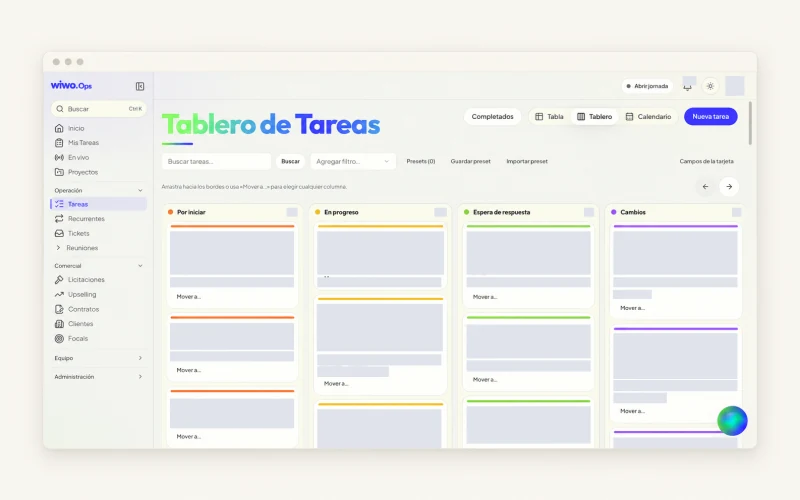
Do not use priority as a substitute for that explanation. If everything is urgent, the team still has to choose what to handle first. Table, board and calendar show different perspectives on the same work, but none resolves a priority conflict by itself.
Close the delivery with the same care used to open it
Before closing, check that the correct deliverable is present and the necessary review happened. A checklist can help if it describes useful conditions rather than steps nobody reads. For recurring work, Ops offers recurring tasks and project templates as a shared starting point.
That starting point also needs maintenance: review which fields and notifications genuinely help the team. In a demo, you can show a typical brief and see how it is organized. Configuration and permissions determine what each person can see and change.
Frequently asked questions
Can I view tasks in different formats?
Yes. The published scope includes table, board and calendar views, plus filters for finding the work the team needs.
Can Ops create AI tasks without review?
AI proposals require human confirmation. The team reviews the changes and decides which ones to incorporate into the work.