A useful variation helps you decide something. If you cannot explain what you are comparing, you may simply be collecting options.
Before generating, write down what the piece needs to achieve
Imagine a launch that needs one image for social media and another for a sales presentation. This is a hypothetical work example, not a customer case study. Before opening the generator, the team should agree on the message, the audience and the information that must appear. It also helps to separate requirements from areas open to exploration.
Lab lets you work by project and bring conversations and references together. That context provides a way back to the brief during review. It does not replace a clear brief or automatically resolve disagreement about the goal.
Change one decision at a time
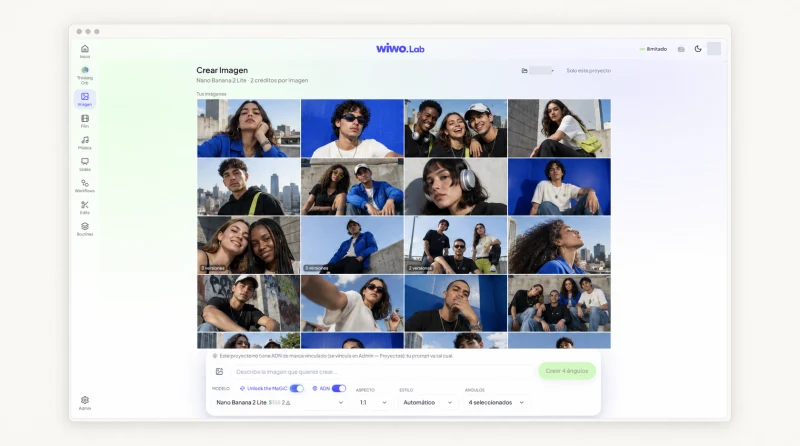
You can start from a description or visual reference and adjust the available image settings. To compare results, keep a recognizable starting point: the same product, the same idea and one deliberate difference. One version might explore framing; another, lighting. If everything changes at once, it becomes difficult to understand why one proposal works better.
The first generation does not have to be the final result. But each round needs a specific question: what needs to be clearer, what is distracting or what should become easier to understand?
Use brand DNA as a working reference
In Lab, you can link brand context to a project and choose when to use it. This helps maintain a shared reference while exploring formats. The team still needs to check tone, product representation and how the piece relates to what the brand already publishes.
- Check that the proposal addresses the brief's message.
- Review product details, text and identity elements.
- Distinguish an interesting exploration from a piece ready to share.
Compare against criteria everyone understands
Personal taste is part of creative work, but it is not enough to resolve a review. Gather the versions and assess them against the same criteria. Is the message clear? Does the composition leave room for text? Does the idea retain its strength in the intended format? Explaining the choice matters as much as marking a favorite.
The project history lets you continue working with generated material. Record the reason for the selection in the team's work, rather than reopening a discussion without remembering what was decided.
The chosen version still needs a final review
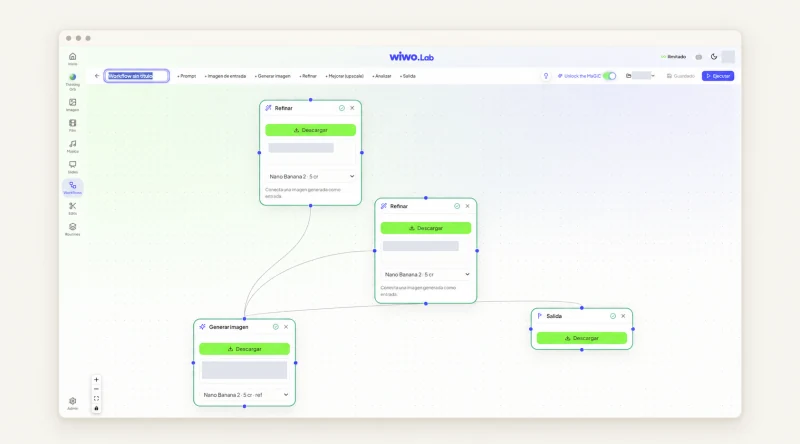
An image approved as a direction may need adjustments before becoming a finished piece. Lab combines generation, Workflows and editing; the next step depends on the format and enabled tools. Check the output in its real context: inside a slide, a sequence or a post with its accompanying text.
Human review includes accuracy, visual quality and permission to use the materials. Available models and controls vary with configuration. In a demo, you can walk through your type of brief and check which parts of the work are covered.
Frequently asked questions
Does Lab automatically choose the best version?
Creative selection remains with the team. Versions help compare alternatives against the brief, the brand and the intended use of the piece.
Can I start from a reference image?
Yes. Image creation supports references and controls available for the selected tool. Use the demo to check the settings your team needs.