A successful adaptation retains the message and works where it will actually be seen.
Confirm the destination before opening the file
Days before a B2B trade show, specifications may arrive that differ from the creative brief. Before redoing everything, confirm what changed: proportions, duration, resolution, sound or viewing distance. Request the display requirements and verify which version is current.
Distinguish content people see in passing from something they deliberately open on a phone. An animation intended for a presentation may need another introduction on a silent screen. Reusing the full file for convenience can obscure the information viewers should recognize first.
Decide what stays and what can change
Write down the essential campaign message and recognizable elements. Then identify what relies on the original format: a small detail, a long sequence or a headline in an area that no longer fits. Adaptation requires an editorial decision before visual adjustments.
For a software demonstration, a readable excerpt may be more useful than shrinking the entire interface. A product image may need another crop without hiding an important feature. If the composition requires invented details, return to real materials before continuing.
Organize changes around a coherent review
Create a short record linking each piece, its destination and the requested change. Avoid scattering instructions across conversations during production. Reviewers need to see what remained, what changed and which questions are unresolved, so they can assess the intention instead of reconstructing the assignment.
Approval of a baseline version does not approve every output. A shorter duration can remove an important condition; a different ratio can separate a product from its explanation.
- Check text size and cropping on the final display.
- Watch videos completely, including without sound when relevant.
- Confirm contact information and calls to action remain current.
Continue adapting in Wiwo.Lab
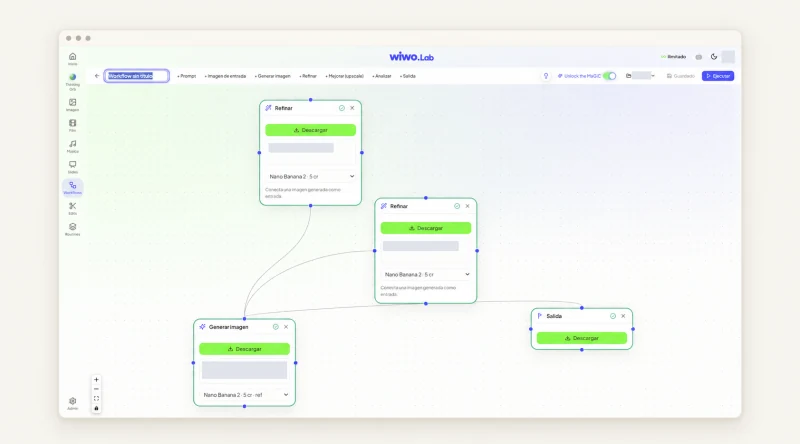
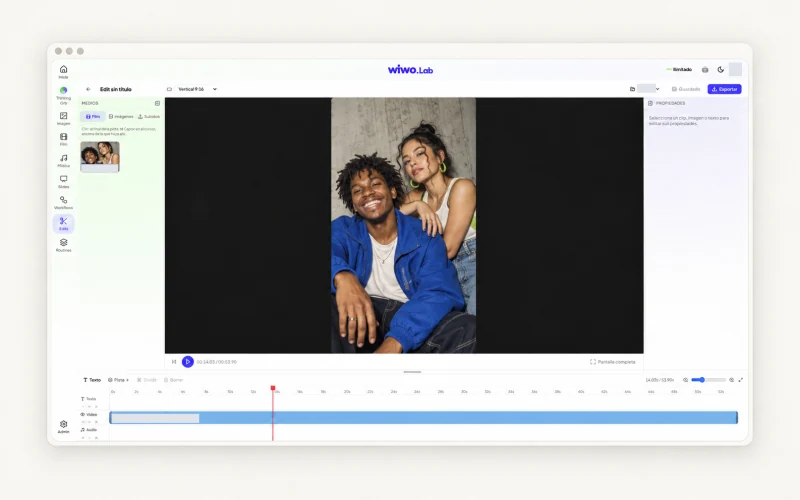
Wiwo.Lab supports images, clips and editing within a project. Its editor brings together Film videos, images and uploaded files for trimming and sequencing. Generated versions help explore another composition when the original no longer suits the intended use.
Start from the chosen direction and review the controls available for the tool and format. Keep a clear reference to the piece being delivered. Bring event specifications and authorized materials to a demo to check the workflow your team actually needs.
Frequently asked questions
Does adapting a piece simply mean cropping it?
Cropping is only part of it. Check message order, readability, duration and the conditions of the display where it will appear.
What should we bring to a Lab demo for this problem?
An authorized piece and specifications for its destinations, so the relevant controls and editing work can be reviewed.