
Feedback helps when it explains what must change and why it matters to the assignment.
Return to the decision the piece should support
A piece intended to secure a first meeting need not explain the same things as a technical evaluation document. If departments imagine different uses, their comments can be reasonable yet incompatible. Confirm audience, context and purpose before debating execution.
Ask each reviewer to identify a concrete consequence. Not understanding what the offer includes differs from preferring another color. That precision helps address important issues without turning the review into competing tastes.
Keep references in the Wiwo.Lab project
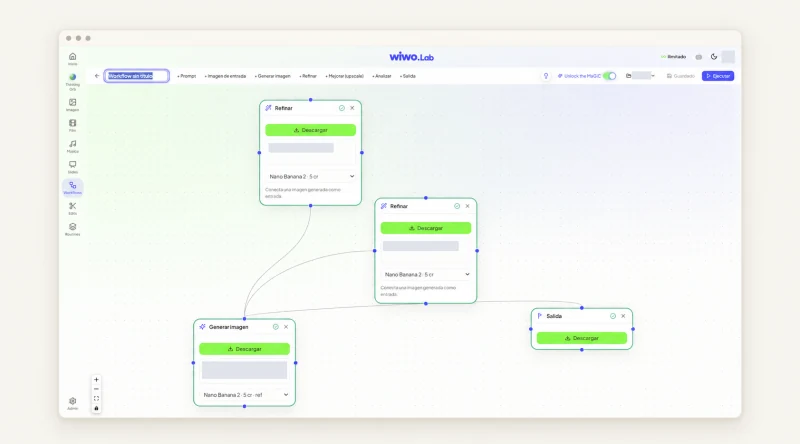
Wiwo.Lab organizes conversations and generations by project and supports brand context during creation. Gathering the assignment, references and versions helps restore a common foundation when feedback comes from people absent from the initial discussion.
Having multiple versions does not decide which one to choose. State what the comparison tests: framing, message hierarchy or the relationship between product and environment. Changing everything at once makes learning from review harder.
Reviewing is also deciding
Approval needs context and a clear next step when a proposal is not suitable.
Understand what is being proposed.
Separate comments that require different responses
A product error needs specialist validation; a confusing message needs editing; a visual preference may be resolved by comparing alternatives. Do not treat them as equivalent changes. The foundation may need correction before further aesthetic exploration.
Do not attribute untested opinions to the customer. If someone believes an image fails to connect, ask them to explain the viewing situation or propose a review with people close to the audience.
- Which fact or representation needs correction.
- Which message is unclear and to whom.
- Which visual alternative is worth comparing.
Agree who can close each discussion
Multiple departments improve review when responsibilities are clear. Decide who confirms accuracy, who owns brand direction and who is responsible for the sales delivery. This allows discussion while preventing late comments from reopening decisions without their context.
When the purpose itself is disputed, resolve the assignment before commissioning another production round. No tool can compensate for departments trying to present different versions of the offer.
Leave a selected version others can continue
Record what was approved, its intended use and the reasons for rejected changes. Keep the selection beside project references. This supports later adaptations without repeating the entire discussion and explains the result to a new colleague.
For a Lab demo, bring an authorized assignment and actual team feedback. Walking through that review is a better test of usefulness than generating many images without a decision to make.
Frequently asked questions
Must every review comment be applied?
First understand the problem each comment identifies. Accuracy errors, unclear messaging and visual preferences call for different decisions.
Does retaining versions prevent disagreements?
No. It helps compare alternatives and recover references, while the team still needs agreed criteria and approval responsibilities.