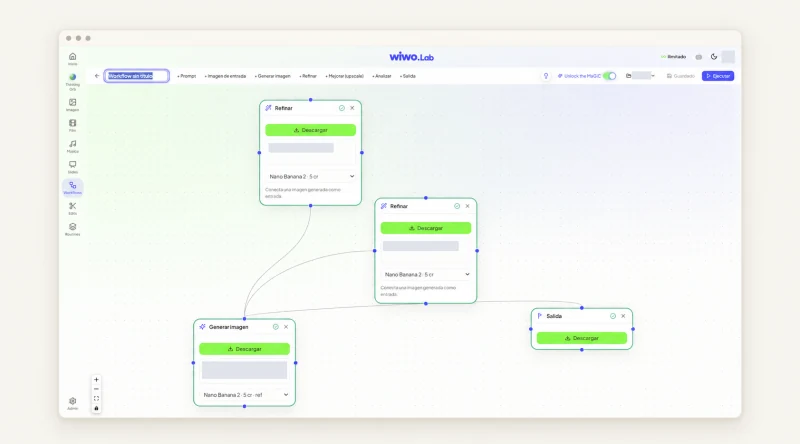

A video can simplify the story without misleadingly simplifying the offer.
Choose a use situation instead of listing features
A company selling a tool for technical teams could start with someone preparing a review. The situation creates a thread: what information they seek, what task they perform and what result they can inspect. Listing modules before explaining that purpose asks more of the viewer.
Keep the journey bounded. If an important condition depends on configuration or external work, it must remain understandable. Summarizing does not mean removing steps that change what is being offered.
Mark scenes that require real evidence
Separate context images, conceptual explanations and demonstrations. Use a reviewed capture or recording to show a specific software action. Animation can explain a relationship between departments without suggesting a built-in feature when the relationship depends on the customer's process.
Have the product team review the script before production. Note terms that are not interchangeable and sequences that would be incorrect. Early feedback prevents an entire edit from being built around the wrong promise.
Develop scenes and editing in Wiwo.Lab
Wiwo.Lab Film creates video from text, images or clips using the controls available in each tool. Reserve it for illustrative scenes and combine the outputs with real materials. The editor gathers videos, images and uploaded files on a timeline to prepare the sequence.
Compare generated scenes with the approved direction and review every cut within the complete story. Visual continuity aids understanding, but cannot compensate for a commercial claim the product cannot support.
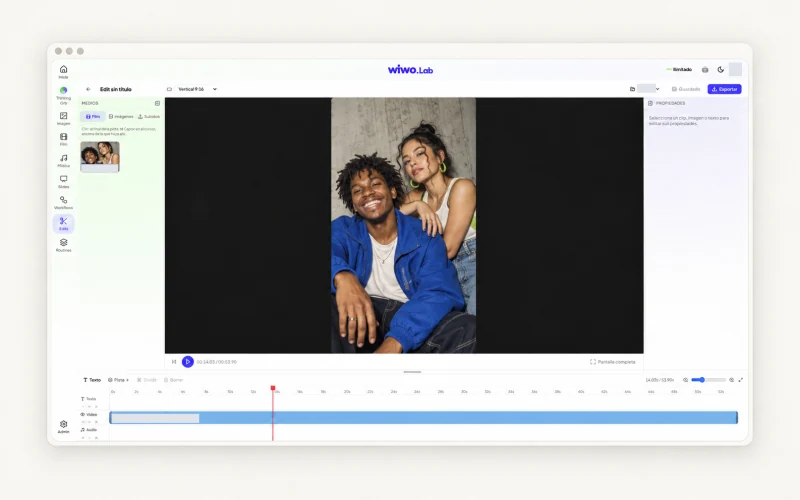
Check what someone outside the project understands
Show the draft without extra explanation and ask what the solution appears to do. Listen for assumptions that an action is automatic, universal or included in every configuration. Those interpretations can arise without the script using those words.
If the interpretation exceeds the scope, adjust the scene, wording or order. A tiny clarification at the end rarely corrects a demonstration that implied something else throughout.
Make the next step clear
An introductory video can invite buyers to review the use case in a demo without pretending to answer every technical question. Explain what to bring: the need, relevant materials or conditions they want to check.
Keep the script and approved version beside a reference to the product shown. When capabilities or conditions change, review which scenes remain accurate before reusing the video in another campaign.
Frequently asked questions
Can a product video use generated scenes?
Yes, as reviewed illustrative resources. For specific feature demonstrations, include real materials supporting what is shown.
What should the product team review first?
The use situation, actions and script claims. Review these before producing scenes so the narrative does not rely on an incorrect scope.