An opportunity does not progress because it changes columns. It progresses when something is resolved that brings the customer closer to a decision.
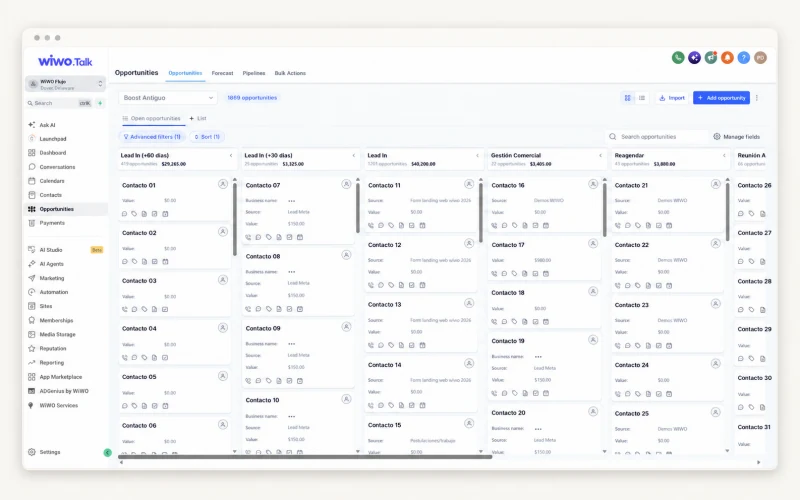
Agree on what being in each column means
In negotiation might mean a proposal was sent, the customer responded or a decision about terms is pending. If everyone interprets the stage differently, the pipeline becomes less useful for coordination. Before reviewing opportunity volume, agree on the situation each status represents.
Imagine two inquiries with a proposal sent. One is waiting for technical information and the other needs a date confirmed. They may look similar on the board and require very different follow-up. Relationship details make that difference visible.
Connect follow-up to what was already discussed
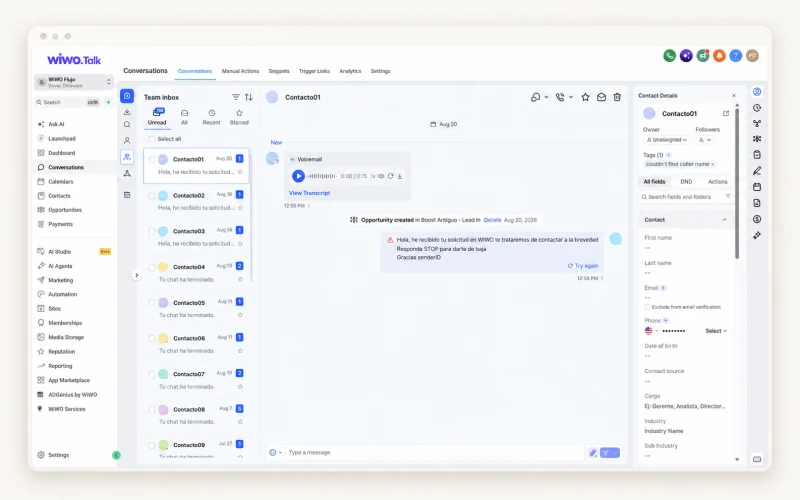
Talk lets you review contact history and organize opportunities by stage. Before preparing a sales message, revisit the need that started the conversation, the information shared and the questions still open. Follow-up should continue that story rather than simply ask whether someone saw the email.
The contact database supports searches, fields, lists and filters. Use them to find the information relevant to the case and check it is current. Old information can lead to a proposal that no longer fits the customer's situation.
Prepare a conversation with a clear reason
The next action may be a call, an appointment or sending outstanding information. Talk includes calendars and appointments according to the operation's configuration. The tool makes the schedule easier to consult; the team should check that the proposed step makes sense for the contact.
- Explain which customer need the next conversation aims to address.
- Confirm which information participants need to prepare.
- Review the previous commitment before agreeing on a new date.
Use the pipeline to identify questions, not predict sales
The Talk dashboard brings together activity and opportunities to review sales work. An opportunity that stays in the same stage deserves a conversation: it may be waiting for a decision, need information or no longer be relevant. Its position on the board alone does not establish purchase intent.
Discuss the summary with the people handling the relationship. Distinguish what the customer confirmed from the team's internal expectations. This avoids presenting a set of opportunities as committed revenue or guaranteed outcomes.
Adapt the journey to the way you sell
Teams do not all need the same stages or calendars. During a demo, review how inquiries arrive, who handles them and what information sales needs to continue. Channels, forms, calendars and integrations are defined according to the agreed scope.
Start with a journey people can understand. A useful pipeline explains what is happening, what is missing and who should continue. Keeping it current remains a team habit: no screen replaces listening to the customer and checking that the relationship still has a next step.
Frequently asked questions
Does Talk combine opportunities and conversations?
The product supports reviewing contacts and history, organizing opportunities by stage and checking activity. The journey and connections are confirmed for each operation.
Does a stage guarantee a sale?
No. Stages organize follow-up. Intent and commitments must be confirmed with the customer; the pipeline does not guarantee a sales outcome.